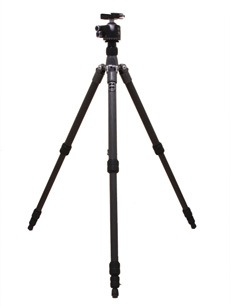
- Spread the tripod legs and adjust them to the height you need and tighten it in place
- Using the screw on the side of the tripod more the center column to the height you want to make sure it is secure tighten the knob
- Take the plate off the tripod and clip it into the camera by flicking back a switch and placing it in carefully matching up the screw and the holes and then turning the screw at the bottom of the plate so it is tightly locked in
- Set the pan handle to the preferred angle by turning the handle
- To rotate the camera in a vertical plane loosen the large side knob move the head into the desired position and tighten the knob to secure the camera in the new position
- Turn the camera on by turning on a switch at the top of the camera
Monday, 16 June 2014
How to set up a Tri pod

Subscribe to:
Post Comments (Atom)
No comments:
Post a Comment